Search This Blog

Tuesday, 14 December 2010

Kids TV show costume inspiration.

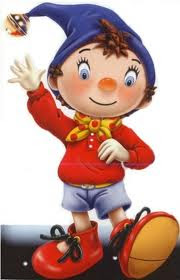
For our kids TV show we wanted it to be instantly recognisable as a childrens show, so we made the two members ofour band, costumes that were based on popular childrens shows,

- Noddy
-Sporticus


We used the "Noddy" rosy cheeks and scarf, and used the stylised moustache and hat of "Sporticus".


Thursday, 9 December 2010

9/12/10 Editing of Childrens Television Show sequence

9:00am- Today we went through all of the footage from the Kids TV sequence , cutting all the unwanted footage. When we cut it down to the needed sequence, we rendered it and added itinto the exact time to sync the mouth movement on sound from our track.

Tuesday, 7 December 2010

7/12/10 Children's Television Show Production Plan

2.00pm- We are preparing our children's television show scene today. We need a set that we can turn into our studio for filming.

2.05pm- We have decided to use a spare computer room within the college to film. We will use the images that we created in a previous lesson as the back drop.

(INSERT IMAGE)

2.30pm- The backdrop has now been put up and we are ready to get our actor's into costume and begin filming.

INSERT SAM AND JACK GIFS

3.10pm- We have now successfully captured the footage we need, we had to shoot the particular scene as there was a choreographed dance routine that needed a few attempts to get right.

3.30pm- The footage has now been logged and captured onto the computer and added to our master template ready for final editing.


Monday, 6 December 2010

Childrens TV show backdrop reseach.

For our children's TV show, we had to think of an idea for the set that would make it reasonably obvious as to what it was and realistic to make as many Children's shows today are bombastic and exuberant. We considered the idea of making a whole set and toyed with the idea of puppets, much like popular TV show "Yo Gabba Gabba," however in the end we thought that this would not be time or cost effective as it involve a lot of preparation and space to able to pull it off while looking good. If it didn't look realistic it would bring down the whole standard of the music video.


We then reflected on our own childhood and looked at presenter-based children programs, such as Milkshake or CITV. These sets were much simpler in design as the backdrops were usually mad out of drawings and pictures sent in by children, as well as the camera rarely moving, incorporating one shot for the entire time of filming. This would be much easier to produce and would look much more realistic with the technology we have available.


We produced our own imitations of children's drawings.


Thursday, 2 December 2010

Thursday, 25 November 2010

25/11/10 Wildlife Scene Production Plan

9:00am- Today we are working on the Wildlife documentary scene. We shall do a few practice shots and the final sequence. We are still filming this in Will's back garden , this is no different to what we originally planned.

10:00am- We got our actor into costume ready to be our documentary presenter:

Gif Created on Make A Gif

10.30- We arrived at our location ready to film when disaster struck! The camera we were using was not charged up so we had roughly 5 minutes to film. We shot the establishing shot for this scene, however, as it was rushed we may considering re shooting this. We came back inside so we can charge the battery. In the meantime we posted this and we are going to prepare the rest of today's events after this set back.

11.00- After discussions, we decided that the battery was charged up enough to capture the footage we needed. We went out and followed our storyboard roughly but had to make a few minor changes as we weren't able to keep the chickens under control or in one place for too long.

12.00- We have now finished capturing our footage and we are happy with how it looks on the camera. We will not be editing the footage today, however we will add it to the master template.


Tuesday, 16 November 2010

Moving camera: Dolly test

We created three videos using a dolly, each featuring the subjects at different speeds.

We found that using the dolly wasn't great on the concrete surface as there is little suspension and hard wheels so the result is a very wobbly image.

Change in pace:


Walking:


Running:


Moving camera research

We intend to research how we will shoot possibly the hardest section of our music video; the running scene in our section of lost. we will be using a dolly to attempt to accomplish a straight,stable shot to make it move fast and not shake everywhere,giving a stereotypical hand held camera shot.
Our main inspiration for this shot is the video for Let's Go Surfing by The Drums.


We also came across the problem after filming our dolly exercise(shown in the above blog) of how we could use a dolly shot on a beach as it would be impossible to run the dolly's wheels through sand. The idea of planks of wood to run through were thought of but this would be impractical as they would show in shot as the camera runs back,so we came up of the final idea of shooting it through the back of a car (the same way in which The Drums' video is shot so successfully on a beach) This will give the shot a constant stability once we work out a clear runway for our 'lost 'section to be set.

A similar video which uses this technique very well is Jack Penates' 'Second,Minute or Hour'


We chose to do it as one continuous shot from the front as we felt it would be too difficult to shoot at different angles of the run to make each part look exactly the same as the surroundings could change and the pace of the running may alter as shots go on.


This can be effective as shown in the video to 'On Board' by Friendly Fires,but they are running very slowly in comparison to how we intend to.

Master Template

As we are filming sections of the film in different sections, as if they were mini movies in themselves, we decided to create a master template on Final Cut Pro to add each individual movie.


16/11/10 Newsroom Scene Production Plan

14:00pm- We decided to utilise the fact that the green screen was up in college,so after doing our 'green screen practice test' we decided we will shoot our first part to the music video, 'the news room' section. We did this as it is the only scene in which we needed the use of a green screen and is only 9-10 seconds long,so would be quick and productive towards the project.

14:15pm- Green screen was set up for our use, we set up a bench to turn into a makeshift TV desk and changed into costume and set up props:

(INSERT .GIF)

14:25pm- We then took a variety of practice shots to prepare ourselves and adapt to the green screen environment.

14:35pm- We did around 5 different takes of the actual shot for the music video,we did this to get to grips with lip syncing. We chose our third shot to be used as the final one to be edited in to our video.

Green screen preparation and practice.


Order of different scenes.

Now we are starting to film, we have cut the song into different sections, each designated to a different television scenario used in our music video.

(Young boy turning on TV in 'real world')

0.00 - 0.11: QVC shopping channel introduction

0.11 - 0.34: QVC shopping channel

0.34 - 0.45: News report

0.45 - 0.56: Wildlife Documentary

0.56 - 1.19: Diary Room - Big Brother

1.19 - 1.39: Lost

1.39 - 1.41: Babestation

1.41 - 2.04: Foreign Cinema

2.04 - 2.27: Kids TV

2.27 - 2.43: Metal music programme

2.43- 2.53: QVC shopping channel
(Young boy turning off TV in 'real world')
These times are subject to change due to potential different styles of filming.

Thursday, 11 November 2010

Continued video research.

Amidst all of our current planning into production of our music video we came across both these videos of previous artists who use two ideas from our video and make them look professional in a very successful way.


We can use this videos as templates for inspiration and a good 'how to' on making the effects we intend to use in both our QVC style scene and our Kids show style scene successful.

Thursday, 4 November 2010

Lipsync Practice

Mid Project Evaluation

How does your media product use, develop or challenge the forms and conventions of real media products?
We hope to achieve a final product that will be unconventional in the sense that we are not following a typical band promotion music video. However when creating the Digipak and the album artwork we have not strayed too far from a conventional pack as we don't want to ostracize the band from the "indie pop" genre.

How effective is the combination of your main product and ancillary texts?
I think this was very effective, we have produced a strong branding image, with our band, the blog and the Digipak.

What have you learnt from your audience feedback?
Audience feedback is a very important part of producing anything in the media. Everything done in the media is for the public. Showing our target audience our main plans for production was extremely helpful, it highlighted what was good and what we could edit or add. We learnt that the audience would like to see more background information of our idea and plan.

How have you used new media technologies?
New media technologies give us the opportunity to experiment and be more creative with working up and the making of our final piece. Using software like 'Final Cut Pro' gives us the chances to completely changed and improve our footage. 'Photoshop' lets us design professional digipak.